Quick picks: tap one to jump to it
Records every call on your own number and sends you the summary and follow-ups.
See why The occasional call, freeiPhone recorderAlready on your iPhone. You start it each time, and both sides hear a notice.
See why Teams on one phone system
Shared business numbers with automatic recording on its Business plan.
See why Calls and meetings, one gadget
A recorder on the back of your phone that also captures in-person meetings.
See why Free, incoming calls only Google Voice
Press 4 to record calls to your Google Voice number, in the US.
See why Your normal number, now and then
Adds a recording line to the call. Needs carrier three-way calling.
See why
Rev Call Recorder shut down on October 31, 2025.

Truecaller stopped recording iPhone calls on September 30, 2025.
See it in action
See how it works on Epocra
An interactive demo, not a video. A call ends, and a few minutes later the recording, transcript and summary are waiting, with nothing pressed at any point.
- Records every call from the moment it connects
- Summary and action items after every call
- Keeps your number through call forwarding
How iPhone call recorders work, and why it matters
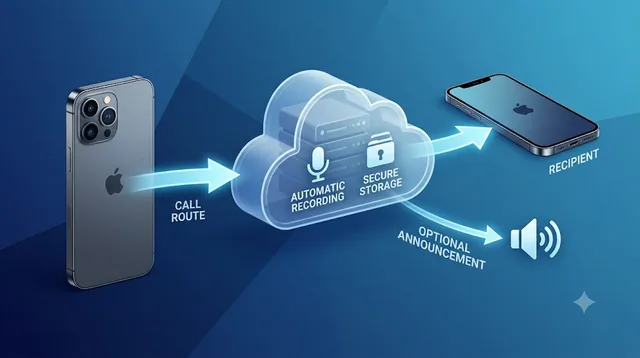
iOS doesn't let apps record calls in the Phone app, so every option gets around that in one of four ways. The method decides almost everything else: whether it can be automatic, whether the other person notices, and whether it works on AirPods.
Apple's recorder in the Phone app.
Manual every callAdd a recording line to the call as a three-way call.
Manual every callA device on the back of the phone listens to the call.
Manual every callThe call runs through the app's own line, which records it.
AutomaticEvery option at a glance
| App | Automatic | Keeps your number | AI notes | Price |
|---|---|---|---|---|
| epocra | Every call | Yes, forwarding | Summary, tasks, AI Chat | Free trial, then $24.99/mo |
| iPhone recorder | Tap each call | Yes | Transcripts; summaries only on iPhone 15 Pro and newer | Free |
| Google Voice | Press 4 | Voice number | No | Free |
| Merge each call | Yes | Transcripts | From $7.99 |
 Rekk & similar Rekk & similar | Merge each call | Yes | Transcripts | From $3.99/wk |
 IntCall IntCall | Outgoing only | On incoming calls | No | Credits from $4.99 |
| Press record | Yes | Transcripts, summaries | $159 + plan |
 | Press record | Yes | Transcripts, summaries | $139 + plan |
| Business plan | Port or 2nd number | Business plan | From $15/user |
 | Admin setting | Port | AI recaps | From $15/user |
 | Every call | Yes, forwarding | Transcripts, summaries | $32/user |
Tap any app to jump to its review. On a phone, swipe the table sideways.
Every option, reviewed
Epocra: Calling app
Disclosure: we make Epocra, so it comes first. Every other option below is described from its own documentation. Epocra is a calling app, so it records on the line instead of fighting iOS: calls you make and take through it are recorded from the moment they connect, with nothing to press. A few minutes after each call you get a summary, key takeaways and action items by email and in the app, and you can ask questions across all your calls.
- Records every call, incoming and outgoing, with nothing to press
- Keeps your number with one carrier forwarding code
- Action items, including what the other person promised you
- Works on AirPods and in the car, because recording happens on the line
- Only calls that go through Epocra are recorded
- Newer than most options on this list
Apple's built-in recorder: Built into iOS
Since iOS 18.1 the Phone app can record a call. On iOS 26 and later you tap More, then Call Recording. Both people hear an audio notice, and the recording saves to a Call Recordings folder in the Notes app, with a transcript in supported languages. It works with one other person on the call.
- Free and already on your phone
- Transcripts in the Notes app
- AI summaries on iPhone 15 Pro, iPhone 16 and later
- You start it on every call
- Both sides hear the notice mid-call
- Not available in the EU and several other countries
Google VoiceBest for: free incoming-call recording in the USGoogle Voice: Calling service
Turn on incoming call options in settings, then press 4 during an answered call to start recording and again to stop. Everyone hears an announcement when recording starts and ends. Automatic recording exists only on the business Voice Premier plan ($30 per user per month, on top of Google Workspace).
- Free for personal use in the US
- Recordings you can download
- Incoming calls only on personal accounts
- Only calls to your Google Voice number
- Announcement every time
Best for: recording now and then on your normal numberTapeACall: Merge-call app
The best-known iPhone recorder, now owned by Bending Spoons. It records by merging a recording line into your call, so your carrier must support three-way calling (the App Store listing names SimpleTalk and H2O Wireless as ones that do not). For an incoming call you answer, open the app, call the recording line and merge. For outgoing calls in the US it can dial and merge for you.
- Works on your normal number
- Outgoing calls can be merged for you (US)
- Transcription on demand
- Manual merge on every incoming call
- Needs carrier three-way calling
- Weekly plans; access to recordings ends if you cancel
Rekk & similarBest for: the merge approach at a lower priceRekk, Call Recorder for iPhone and iCall: Merge-call apps
These App Store recorders all use your carrier's conference-call feature, so they work like TapeACall: add a recording line and merge. Most add transcription. Rekk lists $3.99 a week or $34.99 a year; Call Recorder for iPhone and iCall list weekly plans from $5.99 and annual plans up to $49.99.
- Cheaper than TapeACall
- Transcription on most plans
- Same manual merge on incoming calls
- Weekly billing is common, so check the plan length
IntCallBest for: outgoing calls without a mergeIntCall: VoIP recorder
IntCall places outgoing calls over the internet through the app, so there is no conference call to set up. Incoming calls still need a merge. It is pay-as-you-go, and recordings stay on your phone.
- No merge on outgoing calls
- Pay only for what you use
- Recordings stay on your device
- Incoming calls still need a merge
- No transcripts advertised
Best for: calls and in-person meetings on one devicePlaud Note and Note Pro: Hardware recorder
A thin recorder on the back of your phone that picks up the call through a vibration or contact sensor, so iOS never gets involved. Plaud says plainly that the Note does not support automatic call recording: you press Record on every call. The NotePin models can't record phone calls at all.
- Also records in-person meetings
- 300 free transcription minutes a month
- Transcripts in 112+ languages, summaries, Ask Plaud
- You start every call recording by hand
- Can't hear the other person on AirPods or earphones
- Another device to carry and charge
Best for: a lower-cost clip-on with unlimited basic transcriptionPocket: Hardware recorder
A small device that mounts on the back of your phone with MagSafe and uses a contact mic for calls. You press the side button to start and stop. The free tier includes unlimited standard transcription.
- Cheaper device ($139 on sale)
- Unlimited standard transcription on the free tier
- Manual start every call
- No Bluetooth headset calls, by its own team
Best for: small business teams sharing numbersQuo (formerly OpenPhone): Business phone app, formerly OpenPhone
A business phone app with its own numbers. It records calls on Quo lines, automatically on the Business and Scale plans (Starter is manual), with AI summaries on Business and above. Porting a mobile number switches off its SIM service, so most people use a second Quo number.
- Automatic recording and AI summaries on Business
- Built for sharing numbers across a team
- Automatic recording starts at $23/user ($33 monthly)
- Only calls on Quo numbers are recorded
Best for: sales and support teamsDialpad: Business phone system
A business phone system with AI recaps, action items and transcripts. Recording is controlled by an admin, and plans start at one seat, but it is designed for companies rather than one person on their own number.
- AI recaps with action items
- Mature, full business phone system
- A company system to set up and manage
- Pricing per user, from $27 monthly
Best for: small sales teams that want every call recordedAllo: Business calling app
A business calling app that automatically records, transcribes and summarizes every call made through it. You can keep your carrier number by forwarding it. Calls from the iPhone's own dialer are not recorded.
- Every call recorded and summarized automatically
- Keeps your number through forwarding
- Priced for teams: $32/user yearly, $45 monthly
- No in-app switch to turn recording off
No longer an option
- Rev Call Recorder: support ended October 31, 2025. The app can't be reinstalled or updated, and recordings that weren't downloaded before then can't be recovered.
- Truecaller on iPhone: call recording ended September 30, 2025. Truecaller's iPhone app now focuses on caller ID and spam blocking; Android recording is unaffected.
How to choose
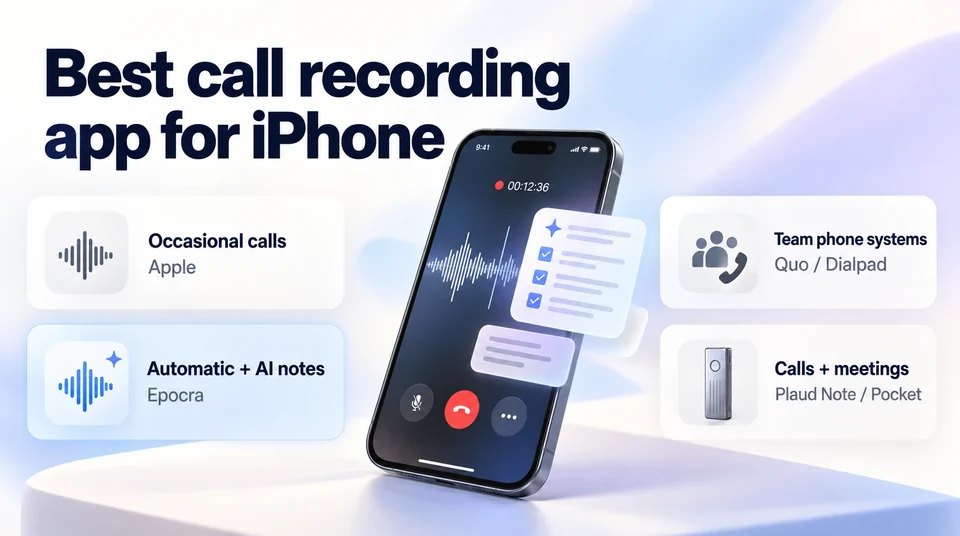
- You record a few calls a month: Apple's built-in recorder. It's free and already on your phone.
- Every client call matters and you don't want to remember: a calling app that records automatically. Epocra is built for one person on their own number; Allo and Quo are built for teams.
- You also record in-person meetings and like a gadget: Plaud Note or Pocket, accepting a manual start and no headset calls.
- You only need incoming calls, free, in the US: Google Voice, on a separate number.
Every call recorded, without pressing anything
Epocra records, transcribes and summarises every call, and keeps your number.
A word on consent
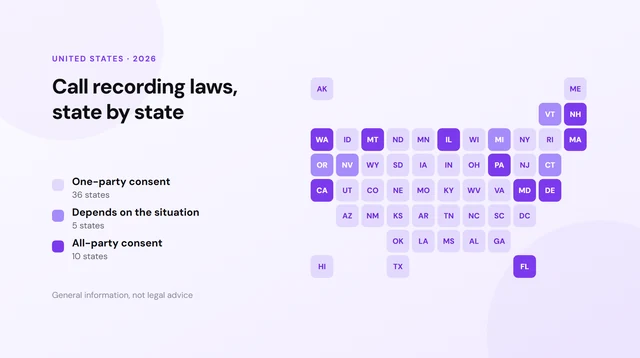
Whichever app you choose, the law is the same. Most US states let a participant record a call they're part of, while a smaller group require everyone's consent, at least in some circumstances. Apple's recorder and Google Voice announce the recording to everyone; Epocra plays a short notice at the start of each call by default, which you can change where the law allows. See call recording laws by state. This is general information, not legal advice.
Frequently asked questions
It depends on how often you record. For the occasional call, Apple's built-in recorder (iOS 18.1 and later) is free and needs no app. To record every call automatically on your own number with AI notes, a calling app like Epocra records on the line so nothing has to be started by hand. Teams that want a shared business phone system usually look at Quo or Dialpad.
Not calls made in the iPhone's own Phone app: iOS doesn't let third-party apps record them, and Apple's recorder starts only when you tap it. Calling apps such as Epocra, Allo and Quo (on its Business plan) record calls that go through their own app or number automatically.
Yes. Apple's built-in recorder is free on iOS 18.1 and later, with an announcement both sides hear. Google Voice is free in the US and records incoming calls to your Google Voice number when you press 4. Epocra starts with a free trial.
Yes. It records by merging a recording line into your call, so your carrier must support three-way calling. Incoming calls need a manual merge; for outgoing calls in the US it can place and merge the calls for you.
Rev ended support for Rev Call Recorder on October 31, 2025. It can no longer be reinstalled or updated, and recordings that were not downloaded before then cannot be recovered.
No longer. Truecaller stopped offering call recording on iPhone on September 30, 2025. Android is not affected.
Calling apps that record on the line, like Epocra, capture both sides whatever you're listening on. Clip-on hardware recorders such as Plaud Note and Pocket cannot pick up the other person when you are on AirPods or a Bluetooth headset, by their own documentation.
James Ritter
Founder of Epocra. Fifteen years in payments, now building call intelligence for people who run their business from their phone.
Sources: Apple: Record and transcribe a call · Google Voice Help: record calls · TapeACall on the App Store · Rev: Call Recorder discontinued · TechCrunch: Truecaller ends iPhone recording · Rekk on the App Store · IntCall on the App Store · Plaud Help: call recording · Pocket · Quo pricing · Dialpad pricing · Allo pricing. Prices and features checked 30 September 2026. Logos are trademarks of their owners, shown for identification.
Keep reading