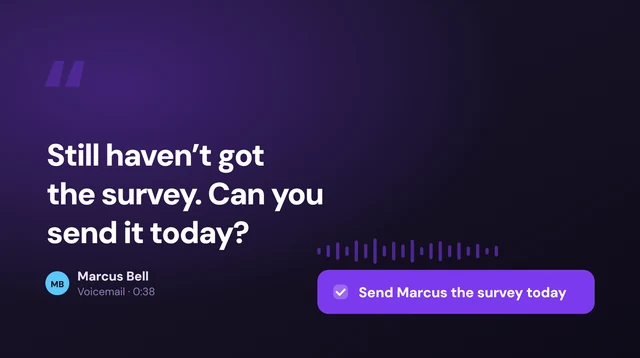
Voicemail to email is standard on business phone systems and rare on consumer cell plans. If your number runs through a VoIP or office phone system, it is usually a checkbox: someone leaves a message, the system emails you the recording, often with a transcript. On an ordinary mobile plan there is generally no such setting. What you get instead is visual voicemail — a list of messages on the handset — and the ability to share one by email manually, one message at a time.
Epocra emails you the voicemail in the form that is actually useful — the message written out, with what was asked for pulled into follow-ups, and the recording behind a link rather than stapled to the email. No per-mailbox setup, no add-on.
Then it does the part no carrier does at all. The same thing happens for the calls you answered — the ones with the price, the date and the promise in them. Voicemail is what you get when a call fails; this is the whole record either way, in one place.
Try Epocra freeSee it in action
A voicemail produces exactly this
An interactive demo — not a video — of a call being recorded and written up. A voicemail runs through the same pipeline and comes out the same shape, so the email you get for a missed message looks like the one you get for a conversation.
- Voicemails and answered calls alike — one pipeline, one format, one place
- Written up, not just delivered — the message in words, not a raw audio file
- Filed to the contact — searchable months later
What a voicemail email should look like
Before going through who offers this and how to set it up, it is worth being concrete about what you are aiming for, because the versions on offer differ enormously and only one of them actually saves you anything.
Epocra does the voicemail half without a setting to configure. A message left on your line is transcribed and written up, and what arrives is the message in words, in the body of the email, with anything the caller asked for pulled out as a follow-up and the audio behind a link rather than stapled to the message. There is no per-mailbox setup and no add-on to buy, because it is not a voicemail feature — it is what happens to every call.
epocra Call Intelligence noreply@epocra.com
Dana Whitfield (Oak Street Supply) · Delivery Delay
Voicemail call 24 sec
Dana Whitfield
Oak Street Supply
Dana left a message to say the spring order has slipped by about a week because of a supplier backlog. She asked whether a partial shipment before Friday would still be useful, and wants a call back either way before the end of the week.
Action items
📋 MY ACTION ITEMS
→ Call Dana back before Friday to say whether a partial shipment helps. 📅 Add to Calendar
Key takeaways
- The spring order is running roughly a week late.
- A partial shipment before Friday is on the table if wanted.
Topics
Delivery delay NEEDS FOLLOW UP
Read full transcript
Which is the actual point. A voicemail and an answered call run through the same pipeline and produce the same email. Voicemail is only what happens when a call fails — the messages are worth having, but they are the minority of what gets said to you on the phone, and rarely the part that matters. The calls you picked up are where the price was agreed, the date was set and the promise was made, and no carrier emails you those, because no carrier is recording them.
So the same delivery applies to the conversations that mattered — recording a call and sending it to your email, not only the messages you missed — and the history of a contact is one list rather than two.
The whole call, in your inbox
Epocra records, transcribes and writes up every call automatically — answered and missed — and sends it to you without anything to set up per message.
Start free trialWhat voicemail to email actually is
The feature does one thing: when someone leaves you a message, the phone system sends you an email about it instead of leaving you to dial in and find out. In its full form the email carries the recording as an attachment and a written transcript in the body, so you can read the message in the notification and only play the audio if the wording matters.
The appeal is not subtle. Dialling into a mailbox is one of the last genuinely awkward pieces of using a phone: you call a number, enter a PIN, listen to messages in the order the system chooses, and scrub back through the same three seconds twice because somebody rattled off a phone number at the end. Getting the same message as text you can scan removes all of it.
It is worth being precise about the name, because two different features get called the same thing. Voicemail to email is about delivery — the message leaving the phone system and arriving somewhere you already look. Voicemail to text is about transcription — the speech becoming words. Plenty of services do one without the other, which is why searching for one turns up so many pages about the other.
Who actually offers it
The split falls almost exactly along the line between business phone systems and consumer cell plans, and knowing which side you are on saves a lot of time in settings menus.
Business phone systems: usually built in
If your number runs through a VoIP provider, a hosted PBX or an office phone system, this is close to a solved problem. It is generally a per-mailbox setting — you enter an address, choose whether to attach the audio, choose whether the message stays in the mailbox after it is emailed, and that is the setup. This is why searching the term turns up phone providers' feature pages rather than how-to articles: for them it is a line item, not a workaround.
Consumer cell plans: mostly not
On an ordinary mobile plan there is usually no setting that emails your voicemail anywhere. What carriers give you instead is visual voicemail, which lists messages on the handset so you can play them in any order, and, on some plans, voicemail transcription as an add-on. Neither of those is delivery to an inbox. The message still lives on the phone, and moving it into an email is something you do by hand.
Open your phone app and look at the voicemail tab. If you see a list of messages you can tap in any order, you have visual voicemail, and you can email individual messages yourself. If you only get a "call voicemail" button that dials a number, you do not, and neither sharing nor emailing is available until that changes.
Emailing a voicemail on iPhone
Where the carrier supports visual voicemail, iOS will hand a message to your mail app directly:
- Open the Phone app and go to the Voicemail tab. If you see a list of individual messages rather than a single button that dials in, visual voicemail is active on your line and the rest of this works.
- Tap the message you want. It expands to show the playback controls and, on supported carriers, a transcript of what was said.
- Tap the share button — the square with an arrow coming out of it — and choose Mail. The recording is attached as an audio file; add an address and send.
That gets one message into one email. It is genuinely useful for the message you need to forward to somebody else, or keep as evidence. It is not voicemail to email in the sense the business systems mean it, because nothing happens unless you do it, and you have to do it again for every message.
Emailing a voicemail on Android
Android is less consistent, because the voicemail experience is supplied by some combination of the handset maker, the carrier and whichever dialer app is installed. There is no single path that is true across devices, and any guide that gives you one has quietly assumed your exact setup.
What is worth checking, in order: whether your voicemail list has a share or export option on an individual message; whether your carrier's own voicemail app has an email or forwarding setting; and whether the voicemail service attached to your number — as opposed to the handset — offers delivery to an address. That last one is where the feature lives when it exists at all, which is the same reason business systems have it and handsets do not.
US Cellular is now T-Mobile
If you are hunting for a US Cellular setting that emails your voicemail, start here, because most of the pages answering that question have not caught up.
T-Mobile completed its acquisition of US Cellular’s wireless operations on 1 August 2025, taking on more than four million customers, and the US Cellular brand is being retired in phases rather than switched off in one go. The remaining company kept much of the spectrum and the towers and carries on as an infrastructure business under a different name — but the wireless service itself is T-Mobile’s now.
So the instructions keep moving. Guides written during the US Cellular era describe that carrier’s own voicemail add-ons; whether those survive, and in what form, is a T-Mobile decision. Check which network your account has actually landed on before you spend an evening in a settings menu, because it decides which set of steps applies to you — and whether any of them still exist.
This is a good illustration of why carrier-level features are a shaky thing to depend on. A capability tied to your carrier can change because of a merger you had no part in and no warning about. A capability tied to your own account moves with you.
Audio, words, or both
When voicemail to email does work, what lands varies more than you would expect, and the difference decides whether the feature is actually useful.
| What arrives | What it is like to use |
|---|---|
| Audio attachment only | Better than dialling in, but you still have to play it. An inbox full of small audio files is an inbox full of things you have not listened to. |
| Transcript in the body | The useful version. You read the message in the notification without opening anything, and you only reach for the audio when the exact wording matters. |
| Notification only | An email that tells you a voicemail exists and nothing more. This is the version that annoys people, because it adds a step rather than removing one. |
Transcription quality is its own subject — names and numbers are exactly what voicemail transcripts get wrong, and exactly what people leave messages about. Voicemail to text covers where those transcripts come from and why they disappoint.
Frequently asked questions
A phone-system feature that emails you when someone leaves a voicemail, usually with the recording attached and often with a written transcript in the body. It is standard on VoIP and office phone systems and uncommon as a native setting on consumer mobile plans.
On an iPhone with visual voicemail, open the Phone app, go to the Voicemail tab, tap the message, tap the share button and choose Mail; the recording is attached automatically. On Android the path depends on your handset, carrier and dialer app. Either way this is a manual step you repeat for each message, not automatic delivery.
No. Voicemail to email is about delivery — getting the message out of the phone system and into your inbox. Voicemail to text is about transcription — turning the speech into words. Some services do both, many do only one, and the terms get used interchangeably in search results even though they describe different things.
Usually not as an automatic setting. Most consumer plans offer visual voicemail, which lists messages on the handset, and some sell voicemail transcription as an add-on. Neither delivers the message to an email address on its own. Business phone systems and VoIP providers are where the feature is standard.
T-Mobile completed its acquisition of US Cellular’s wireless operations on 1 August 2025 and the US Cellular brand is being retired in phases. Guides describing US Cellular’s own voicemail add-ons are describing a service in transition, so check which network your account is on before following instructions written for the old carrier.
Not by a carrier — they are not recording your calls. It requires a service that records on the line. Epocra records every call, writes up what was discussed and what each side agreed to, and emails that after the call ends, with voicemails filed in the same record.
More in the Help Center: Voicemail notifications.
James Ritter
Founder of Epocra. Fifteen years in payments, now building call intelligence for people who run their business from their phone.
Sources: Apple Support — Record and transcribe a call · MacRumors · Tom's Guide. Device support and regional availability verified July 2026.
Keep reading