Most AI note takers can't hear your phone calls. Otter, Fireflies and Fathom are built mainly for video meetings on Zoom, Teams and Google Meet. A regular phone call gives them nothing to join, and Apple and Google don't let apps record calls on the phone itself. Otter's own help center says phone calls have to be recorded separately and imported.
Take the notes where the call happens. A calling app that records the call itself can write the notes for you. Epocra records every call, then sends you a summary, key takeaways and action items within minutes of hanging up, and files it all to the contact. You keep your number.
Try Epocra freeSee it in action
See how it works on Epocra
An interactive demo, not a video. A call ends, and a few minutes later the transcript, summary and action items are waiting, with nothing to press.
- Notes from every call, without opening anything
- Action items pulled out into one task list
- Ask questions across all your calls
Why most AI note takers can't take notes on phone calls
Meeting note takers work by joining the meeting, either as a bot participant or by capturing audio on your computer. A phone call on your mobile runs over your carrier's network. There's no meeting link to join and no computer in the loop.
On the phone itself, the operating system is the barrier. Apple and Google don't let third-party apps record calls, so an app running on your phone can't capture the conversation. Otter says so in its own help center: calls must be recorded separately and imported, and a live Otter recording pauses when a call comes in.
So the usual workaround for getting AI notes from a phone call looks like this:
- Start your phone's call recorder during the call. On iPhone, everyone hears an announcement.
- After the call, find the recording. On iPhone it's in the Notes app.
- Share the audio file to your note taker.
- Wait for it to transcribe and summarise.
It works, but it's four steps for every call, and it depends on remembering to press record in the middle of a conversation. The calls you most need notes from are usually the ones you didn't know would matter.
What an AI note taker for phone calls should do
If you're on the phone all day, a note taker only helps if you never have to think about it. Here's the checklist:
- Records without you pressing anything, so the calls you didn't expect to matter are covered.
- Captures both sides clearly, whether you're on speaker, AirPods or in the car.
- Labels who said what in the transcript.
- Writes a summary you'll actually read: what the call was about, the key points, and what was agreed.
- Pulls out action items, including what the other person promised you.
- Files everything to the contact, so every conversation with a client is in one place.
- Answers questions about your calls, instead of making you scroll through transcripts.
Your options, compared
| Option | How the notes get made | Catch |
|---|---|---|
| iPhone recorder + Apple Intelligence | Tap Record during the call; recent iPhones can summarise it | Manual every call; announcement mid-call; loose notes in the Notes app |
| Record, then import into Otter | Record on your phone, share the file, let the note taker process it | Several steps per call; only covers the calls you remembered to record |
| A hardware recorder (Plaud, Pocket) | A separate device captures the call from outside the phone, then its app writes notes | You start every recording by hand; headsets can bypass it; another device to carry and charge |
| Meeting note takers (Otter, Fireflies, Fathom) | Join video meetings | Nothing to join on a regular phone call |
| A calling app that records (Epocra) | Records every call on the line and writes the notes automatically | Calls go through the Epocra app; forward your number to keep it |
A word on hardware recorders. Devices like Plaud and Pocket are the one way around the phone's restrictions without changing how you call: because they sit outside the phone, iOS and Android never get a say. They do work for phone calls, and they also record in-person conversations. The catch is the same one that makes the built-in recorder a chore: you start each recording yourself. The device doesn't know a call is happening, so a call you forget to start is a call with no notes, and you usually find out afterwards. Take the call on AirPods or a headset and there may be nothing for the device to pick up. For a few calls a day that's a small habit; for someone on the phone all day, it's a steady source of missing notes.
Some Android phones now write their own call notes, with limits on which models and countries get it, and it only covers the calls you remember to start it on.
How Epocra takes notes on your phone calls
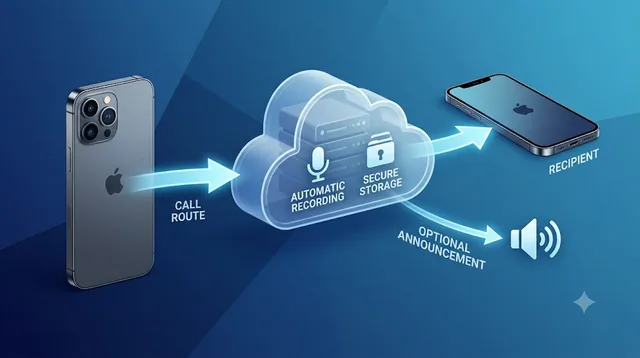
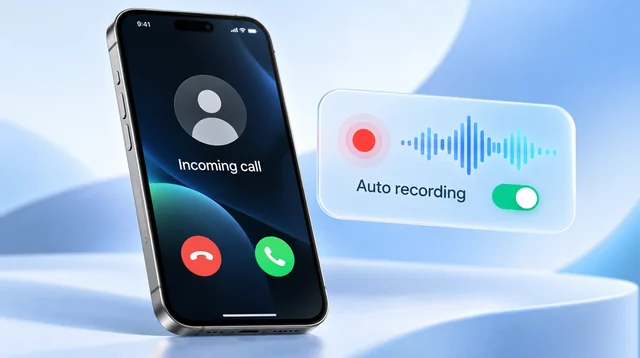
Epocra is a calling app, so it doesn't need to get around the phone's restrictions. Calls run through it, and it records them on the line from the moment they connect. You keep your number by forwarding it with one carrier code, and calls ring in the app (how forwarding works).
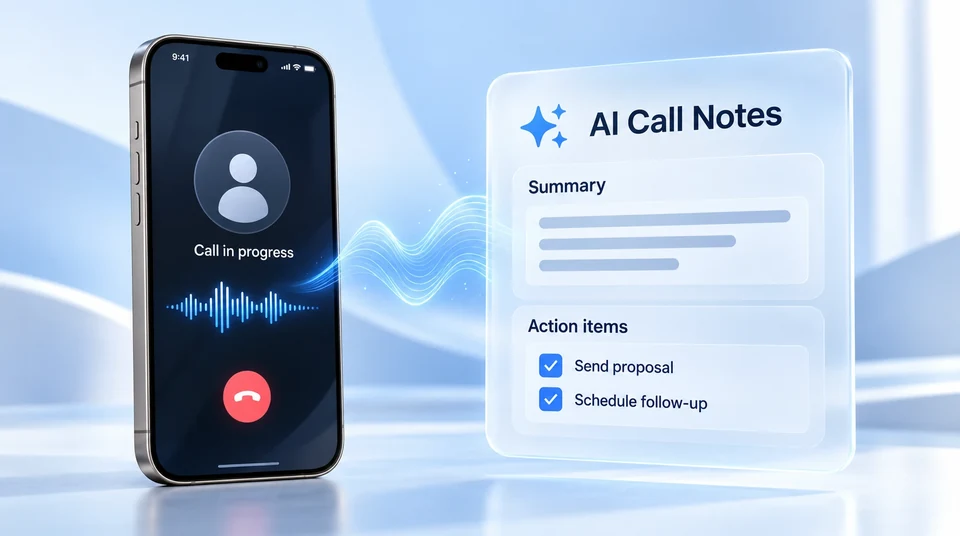
A few minutes after you hang up, the notes arrive by email and in the app:
- Call summary: what the conversation was about.
- Key takeaways: the points worth remembering.
- Action items: what you said you'd send, book or confirm, collected in one task list with due dates where one was mentioned. It also tracks what the other person committed to, the half most people never write down.
- Topics: what came up, for scanning at a glance.
- The full transcript, with speakers labelled, playable against the recording.
Then there's AI Chat: ask about your calls the way you'd ask a colleague who sat in on all of them. "What did I agree with the Hendersons about the closing date?" or "Draft a follow-up to this morning's call." Point it at one call, one contact, or your whole history.
If your work needs different notes, summary templates let you add your own fields, like budget, timeline or next step, and drop the sections you never read.
| iPhone built-in | Epocra | |
|---|---|---|
| Starts recording | When you tap, every call | Automatically |
| Summary | Apple Intelligence iPhones only | Every call, emailed |
| Action items and task list | No | Yes, including what the other person owes you |
| Organised by contact | No, loose notes | Yes |
| Ask questions across calls | No | Yes, AI Chat |
| Works on | iPhone | iPhone and Android, plus desktop and web |
| Cost | Free | Free trial, then from $24.99/mo |
Notes from every call, automatically
Epocra records, transcribes and summarises every call, and pulls out the follow-ups for you.
In-person meetings and voice notes, too
Not every important conversation happens on the phone. Tap the microphone on the Keypad tab, or start it from an Apple Watch or Wear OS watch, to record an in-person meeting or a quick note to yourself. It gets the same transcript, summary and action items as a call, in the same place.
Consent and privacy
Recording laws vary. Most US states let a participant record a conversation they're part of, while a smaller group require everyone's consent, at least in some circumstances. By default Epocra plays a short notice when a call is answered; you can record your own, or switch it off where the law allows (more on how that differs from the iPhone's mandatory recording announcement). You can also exclude contacts so their calls are never recorded, and stop a recording part-way through a call. See call recording laws by state. This is general information, not legal advice.
One more thing: Epocra doesn't answer calls for you. It sits with you on your calls and does the remembering, so you can pay attention to the person you're talking to.
Frequently asked questions
Not directly. Otter's own help center says Apple and Google restrict third-party apps from recording calls, so calls must be recorded separately, for example with the iPhone's built-in recorder, and imported into Otter. A live Otter recording pauses during a phone call.
Yes, with a manual step. Hardware recorders like Plaud and Pocket capture the call from outside the phone, so they are not blocked by iOS or Android, but you have to start each recording yourself. If you forget, or take the call on AirPods or a headset, the call may not be captured. A calling app like Epocra records every call automatically instead.
Yes. A calling app that records the call itself can take notes automatically. Epocra records every call made or received through its app, then sends you a summary, key takeaways and action items within minutes, filed to the contact.
No. ChatGPT can't listen to or record your phone calls. If you already have a transcript you can paste it in and ask for a summary, but getting an accurate transcript of both sides of the call is the hard part.
Yes. Epocra works on iPhone and Android, with desktop and web apps for reading your notes and asking questions across your calls.
No. Forward your existing number to Epocra with one carrier code and calls ring in the Epocra app. You keep your number and your carrier, and one code switches it back.
By default, a short announcement plays when the call is answered. You can replace it with your own, or switch it off where the law allows. Check the consent rules that apply to your calls.
Epocra starts with a free trial. After that, plans start at $24.99 a month.
More in the Help Center: Transcripts, summaries and tasks.
James Ritter
Founder of Epocra. Fifteen years in payments, now building call intelligence for people who run their business from their phone.
Sources: Otter Help Center: Record and transcribe a phone call · Apple Support: Record and transcribe a call · Epocra Help: transcripts, summaries and tasks. Checked September 2026.
Keep reading